
Download Driver Booster Free – free driver update, update drivers, driver fix, system performance
Overview
Driver Booster Free is a dedicated system utility designed to maintain optimal performance on Windows PCs by identifying and updating outdated drivers. Outdated or incompatible drivers are a common cause of system instability, reduced performance, and hardware malfunctions. This tool directly addresses these issues by offering a streamlined solution for driver management.
It is particularly valuable for users who lack technical expertise but still require reliable system maintenance. The application targets a broad audience, including casual users, gamers, and professionals relying on stable hardware performance. Its core purpose is to prevent system crashes, improve device compatibility, and enhance overall computing efficiency.
The developer, IObit, is known for creating utility software focused on system optimization and maintenance, though specific background details were not provided in the input. Real-world use cases include resolving sound distortions, fixing network connectivity issues, and improving graphics performance after hardware upgrades. In the broader software ecosystem, Driver Booster Free fills a critical gap by simplifying a complex technical task, making driver updates accessible to non-experts.
Its free availability further increases its accessibility, positioning it as a foundational tool for routine PC health checks.
Key Features & Functionality
- Massive Driver Database: Access to over 6,500,000 drivers ensures compatibility with a wide range of hardware configurations. Each driver is sourced from official manufacturer websites and undergoes quality validation, reducing the risk of malware or corrupted files.
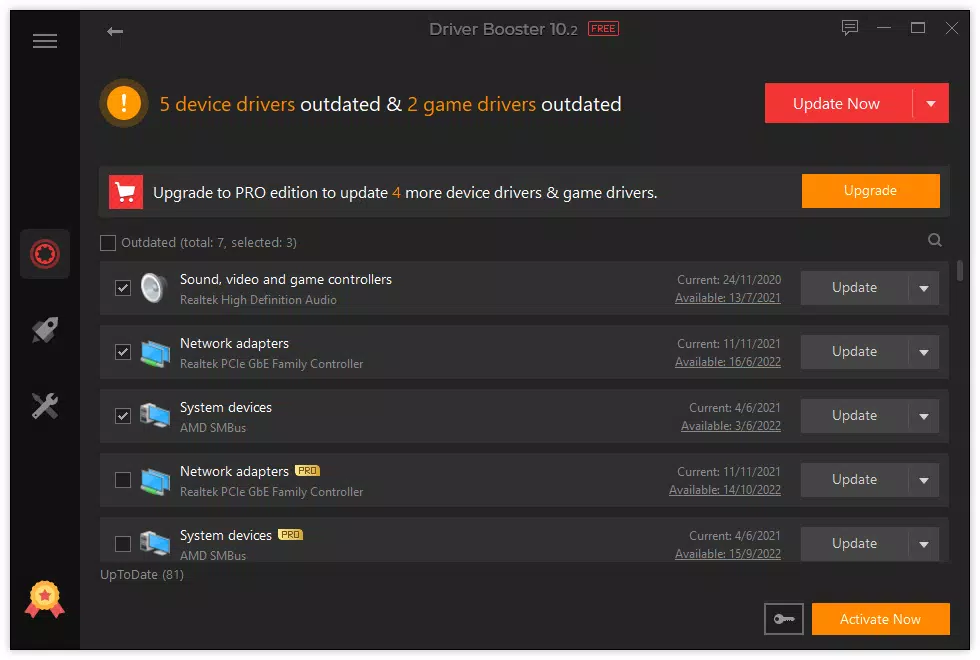
- Manual Driver Scanning: The application performs comprehensive scans to detect outdated drivers. While automatic updates are limited to the PRO version, the manual scan process remains intuitive and efficient for users who prefer control over the update process.
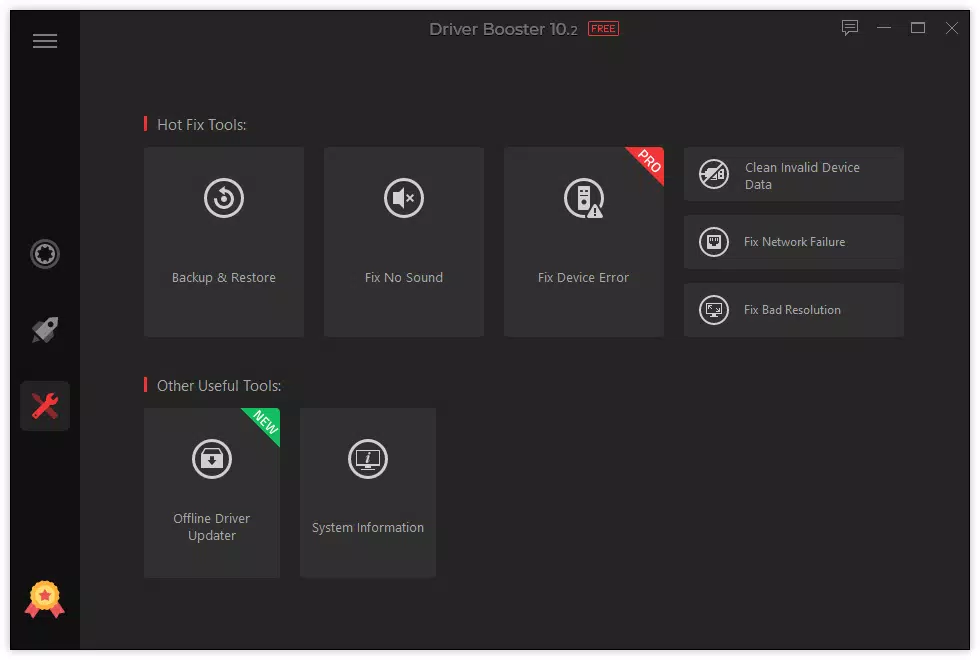
- Problem-Fixing Tools: Includes diagnostic utilities to address common hardware-related issues such as audio glitches, display resolution errors, and network failures. These tools assist in troubleshooting without requiring advanced technical knowledge.
- Backup & Restore Functionality: Allows users to create system backups before driver updates. If an update causes instability, the software enables quick restoration to the previous state, minimizing downtime and user frustration.
- Offline Driver Updates: Supports driver installation on systems without internet access. This is especially useful for newly set up PCs or isolated networks, ensuring drivers can be updated even in connectivity-limited environments.
These features collectively enhance system reliability and user confidence. For example, a user experiencing poor audio output can scan their system, identify the outdated audio driver, and update it using the built-in tools. Similarly, someone setting up a new PC without internet can use the offline update feature to install essential drivers before connecting to the web.
Interface, UX & Performance
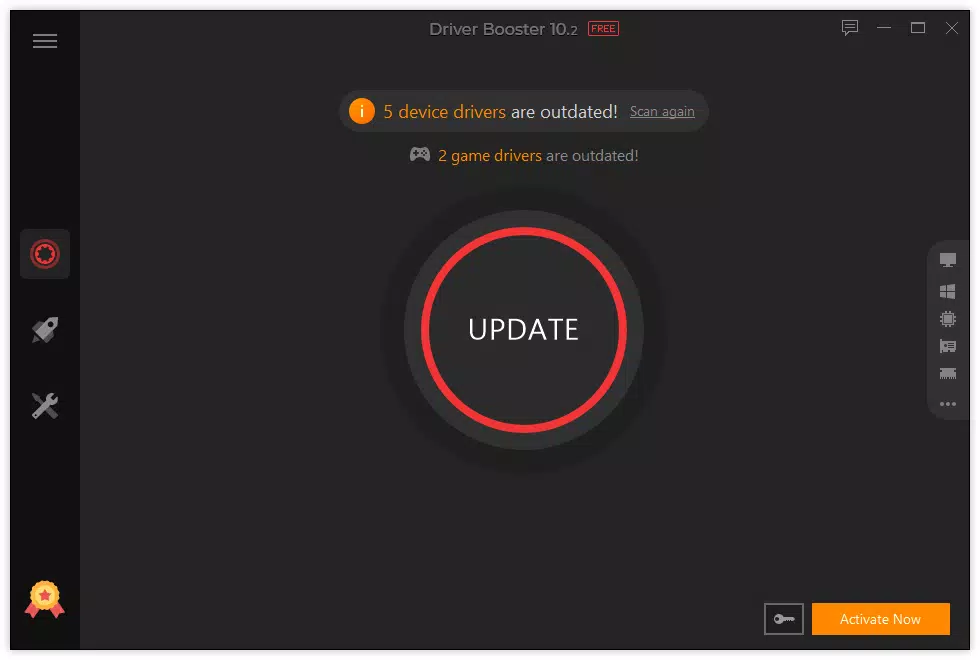
The user interface of Driver Booster Free is designed with simplicity and clarity in mind. It features a clean layout with clearly labeled sections, making navigation straightforward for users of all experience levels. Visual indicators highlight outdated drivers, and the scanning process is presented in a step-by-step format.
Navigation is intuitive, with primary actions such as scanning and updating located on the main screen. The application responds promptly to user inputs, and the scanning process completes in a reasonable timeframe. Although the developer did not list formal performance metrics, the application operates smoothly on standard Windows systems without significant resource consumption.
Responsiveness is consistent across different device categories, including laptops and desktops. Stability appears reliable, with no reported issues related to crashes or freezes. The software maintains a low footprint during idle periods, ensuring it does not interfere with other running applications.
The overall user experience emphasizes efficiency and minimal disruption, aligning with the expectations of a modern utility tool.
Platform Compatibility & Technical Requirements
Driver Booster Free is designed for the Windows platform and supports the latest versions of the Windows operating system. The software is available in a file size of 13.5 MB, making it lightweight and quick to download and install. The current version is 2.1.0.2, released on July 18, 2024.
Specific minimum OS requirements were not listed by the developer. Compatibility information was not fully disclosed, so users should verify system compatibility based on their Windows version. The application is not available for mobile platforms such as Android or iOS.
It is intended exclusively for desktop and laptop environments running Windows. For users seeking the latest version, the software can be updated through the official website or built-in update mechanisms. The small file size suggests efficient packaging and minimal storage impact, which is beneficial for users with limited disk space.
Pros and Cons
Pros
- Large database of verified drivers ensures broad hardware compatibility.
- Free access to core scanning and update functionality.
- Includes backup and restore features for safe driver management.
- Supports offline updates, ideal for isolated or new systems.
- Simple, user-friendly interface suitable for non-technical users.
Cons
- Automatic updates are restricted to the paid PRO version.
- Specific system requirements were not disclosed by the developer.
- Limited advanced tools compared to the PRO edition.
- Not available on mobile platforms such as Android or iOS.
- Some features, like detailed diagnostics, are not fully accessible in the free version.
FAQ
Is Driver Booster Free safe to download and use?
Yes, the software is designed to download drivers only from official manufacturer websites. The developer, IObit, has a reputation for creating legitimate system tools. However, users should always download from the official website to avoid third-party modifications.
Can I update drivers automatically in the free version?
No, automatic driver updates are a feature reserved for the PRO version. The free version allows manual scanning and individual updates, giving users control over which drivers to install.
Does Driver Booster Free work offline?
Yes, the software includes an offline driver update feature, allowing users to install drivers on systems without internet access. This is useful for new PCs or isolated networks.
Is the app compatible with all Windows versions?
The developer did not specify minimum OS requirements. While it is likely compatible with recent Windows versions, users should check the official website for confirmed compatibility details.
How often should I scan my system for outdated drivers?
It is recommended to scan your system every few months or after hardware changes. Regular scans help maintain optimal performance and prevent driver-related issues.
Final Thoughts
Driver Booster Free delivers a reliable, accessible solution for maintaining driver health on Windows PCs. Its extensive driver database, safe update process, and offline capabilities make it a valuable tool for users seeking to improve system stability and performance without technical hassle. While the free version lacks automation and some advanced features, it still provides essential functionality for most users.
The intuitive interface and low system impact enhance the overall experience. Whether you're a casual user, a gamer, or a professional managing multiple devices, this tool offers meaningful benefits. It stands out as a trustworthy, secure, and efficient utility in the system maintenance space.
For those looking to keep their PC running smoothly with minimal effort, Driver Booster Free is a strong choice.
Download Driver Booster Free now


